★★★★★
Track planned, forecast, and actual costs before financial reviews.

This project budget dashboard Excel toolkit helps project managers, PMOs, consultants, operations teams, and program leaders track, forecast, and report project financial performance in one structured workbook. It is designed to manage planned budget, actual spend, forecast, variance, remaining funding, cost categories, and executive budget reporting without complicated software or macros.
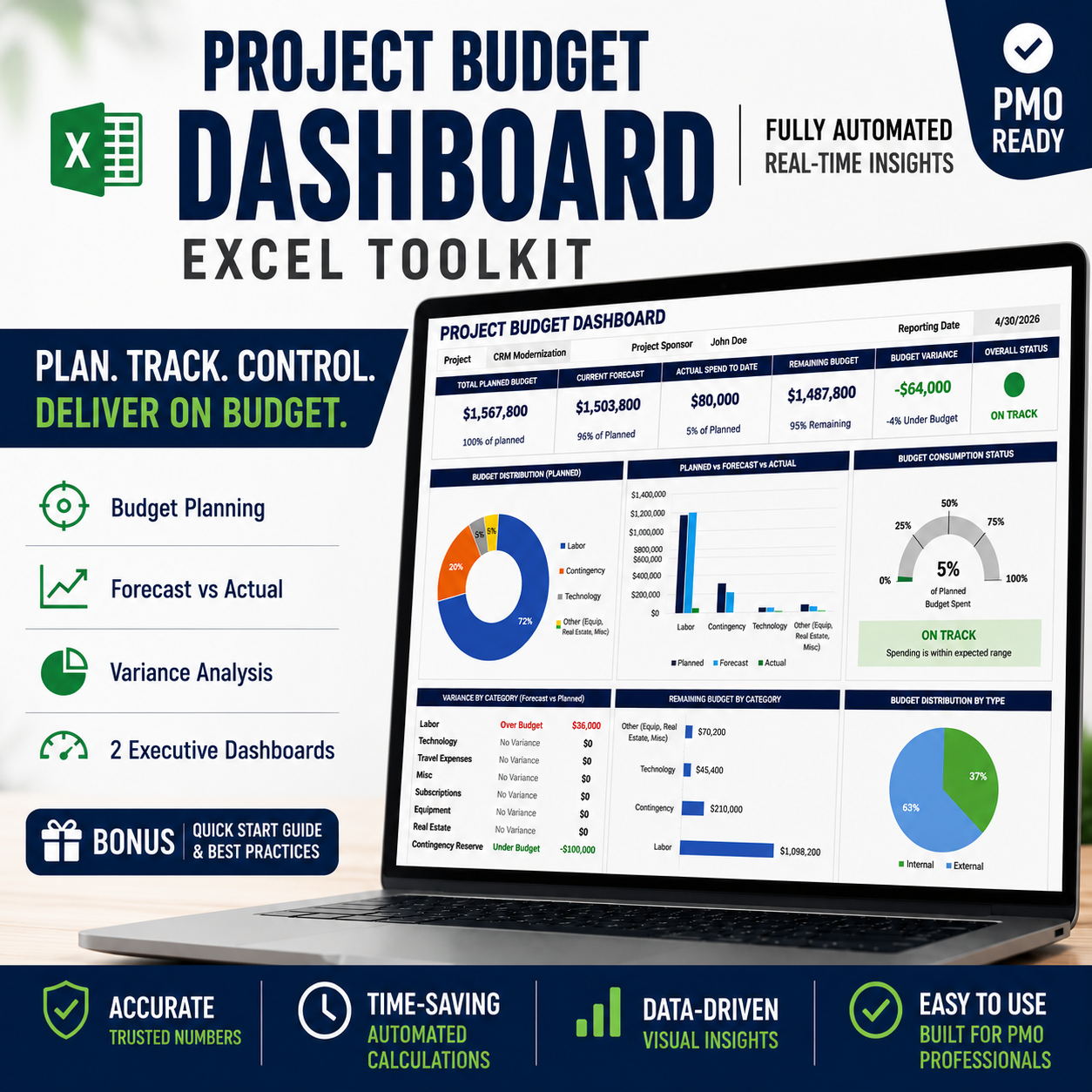
A structured Excel budget tracker and dashboard system that helps project teams track and monitor planned vs actual vs forecast costs, identify budget overruns early, and generate executive-ready budget reporting without rebuilding spreadsheets from scratch.
Sale (regular )
Need a leadership-ready PowerPoint summary instead? Pair this workbook with the Project Budget Status Report Template to present budget position, forecast, actual spend, variance, drivers, and actions in one executive slide.
Designed to support project budget tracking, forecasting, and executive reporting.
Designed for budget visibility: forecast first, variance second.
Budget performance. Forecast movement. Faster financial decisions.
Built using real PMO governance, project-control, financial reporting, and executive communication patterns from enterprise IT, consulting, engineering, and federal program environments. Pair this workbook with the Project Budget Status Report Template, PM Toolkit, and Executive RAID Management System for a complete executive reporting and PMO governance system. No affiliation or endorsement by third-party organizations is implied.
After checkout you’ll receive a confirmation email containing an instant download link to the ZIP package with the Excel project budget dashboard toolkit and supplemental materials.
Yes — the workbook is editable in Excel. You can update budget categories, cost types, labels, examples, dashboard fields, dropdown definitions, chart visuals, colors, and reporting sections to match your project, client, or PMO process. Because formulas and reporting views are interconnected, edits should be made carefully to preserve automation.
No. The toolkit is designed without macros or VBA dependencies. It is intended for practical Excel use with standard formulas, tables, dropdowns, dashboards, and charts.
Yes. The toolkit is designed for Excel 2016+ and Office 365. For best results, use the desktop/laptop version of Microsoft Excel.
No. This product is the Excel project budget dashboard toolkit. PowerPoint previews may show how dashboard screenshots can be used in executive reporting, but the related PowerPoint budget status one-pager is sold separately.
Our templates are intentionally designed to support executive decisions and budget visibility, not decoration or visual excitement. Artwork, stock photos, and unrelated business imagery often distract stakeholders from the financial information that actually matters. By keeping visuals clean and focused, executives can scan budget status, variance, forecast, consumption, and remaining funding faster.
Yes. Tuplebits templates can be used for internal business use and client-facing deliverables. Redistribution or resale of the template workbook itself is not permitted.
Email info@tuplebits.com with your request and timeline.
These Terms of Service ("Terms") govern your access to and use of digital products offered by Tuplebits LLC ("Tuplebits," "we," "us," or "our"), including project management templates, toolkits, and related digital assets (collectively, the "Products"). By purchasing, downloading, or using any Product, you agree to be bound by these Terms. Read Terms of Services
Need a PowerPoint-ready executive budget summary to pair with this workbook? Check out the Project Budget Status Report Template for a one-page budget slide with status, spend, forecast, variance, drivers, and actions.