Built using real executive reporting patterns from enterprise IT, engineering, and federal programs. Explore the PM Toolkit, Agile Executive Status Report, and Program Roadmaps & Timelines for a complete executive reporting system. No affiliation or endorsement by third-party organizations is implied.
FAQ
How will I receive the files?
After checkout you’ll receive a confirmation email containing instant download link to the ZIP package containing templates & supplemental materials.
Can I customize colors, fonts, and sections?
Yes — everything is editable without a need to use advanced PowerPoint features or capabilities. You can also contact us for a custom version.
Why don’t these templates include artwork or business stock images?
Our templates are intentionally designed to support executive decisions, not decoration or visual excitement.
Artwork, stock photos, and unrelated business imagery often distract stakeholders from the information that actually matters.
By keeping visuals clean and focused, executives can scan status, risks, and decisions faster and engage more effectively.
Can I use these templates for client or internal work?
Yes. Tuplebits templates can be used for internal business use and client-facing deliverables. Redistribution or resale of the templates themselves is not permitted.
What is an executive project status report?
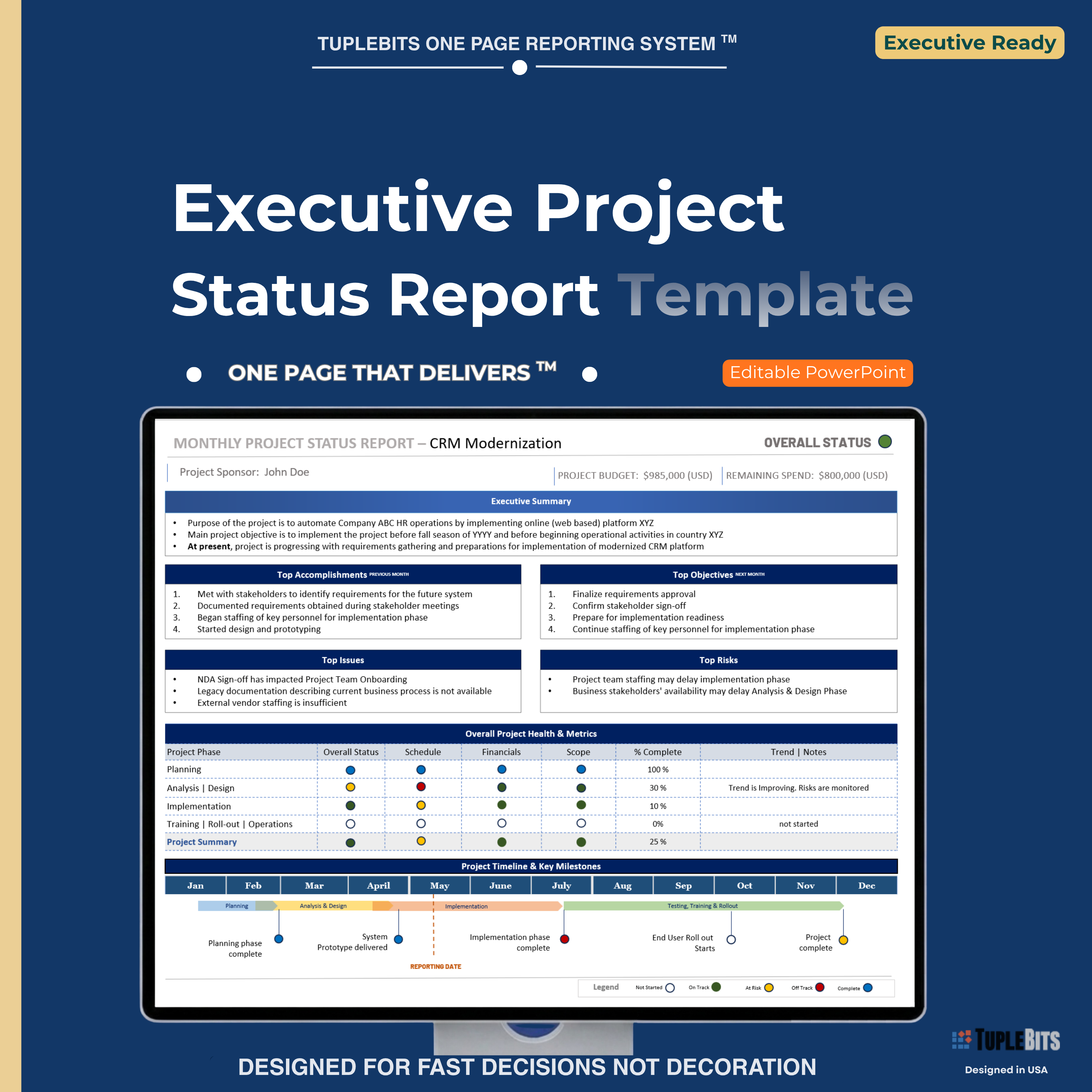
An executive project status report is a concise leadership update that summarizes current project health, progress, RAG status, schedule, scope, budget, issues, risks, milestones, and decisions needed. It is designed for executives, sponsors, steering committees, and PMO reviews.
What should be included in an executive project status report?
A strong executive project status report should include an executive summary, overall health, schedule/scope/budget status, major accomplishments, next goals, top issues, top risks, timeline confidence, and any decision or escalation needed.
Is PowerPoint or Word better for executive project status reports?
Word templates are useful for written documentation, but PowerPoint templates are usually better for executive briefings, steering committees, sponsor updates, and leadership reviews because they are easier to scan, present, and discuss in meetings.
Can this template be used for monthly executive updates?
Yes. This template can be used for weekly, biweekly, or monthly executive project status reports. It is designed for recurring leadership updates where a consistent one-page format is needed.
Need a custom version?
Email
info@tuplebits.com
with your request and timeline.
What is legal terms of service for digital templates?
These Terms of Service ("Terms") govern your access to and use of digital products offered by Tuplebits LLC ("Tuplebits," "we," "us," or "our"),
including project management templates, toolkits, and related digital assets (collectively, the "Products").
By purchasing, downloading, or using any Product, you agree to be bound by these Terms.
Read Terms of Services
Need more than a single slide? Check out the Executive PM Reporting Toolkit for a full suite of roadmaps, org charts, and agile dashboards - a complete reporting system.